https://mcp.indices.io
Authentication: All requests require an Authorization: Bearer <API_KEY> header. Generate an API key in the dashboard.
Installation
Quick setup (recommended)
Useadd-mcp to configure Indices across all your installed agents at once. In a terminal, run:
add-mcp detects which agents you have installed (Claude Code, Cursor, VS Code, Gemini CLI, Codex, and more) and updates their config files automatically.
Skill: Optionally, install the Indices skill to teach coding agents how to use Indices: npx skills add indicesio/skills --all --global
Manual Setup
Claude Code
In a terminal, run:Claude Desktop
For Claude Desktop, go to Settings → Developer → Edit Config and add:Cursor
Add to~/.cursor/mcp.json or .cursor/mcp.json:
VS Code (Copilot)
Add to yoursettings.json:
Gemini CLI
Add to~/.gemini/settings.json:
ChatGPT
Go to Settings → Connectors → Advanced Settings, enable Developer Mode, then create a connector:- Name:
indices-mcp - URL:
https://mcp.indices.io - Authentication: Add the header
Authorization: Bearer <API_KEY>
OpenAI Codex CLI
Add to~/.codex/config.toml:
Other agents
Use the Streaming HTTP transport with URLhttps://mcp.indices.io. Ensure outbound requests include the Authorization: Bearer <API_KEY> header. If your client doesn’t support custom headers, use mcp-remote to proxy requests. See the MCP documentation for general guidance.
Example
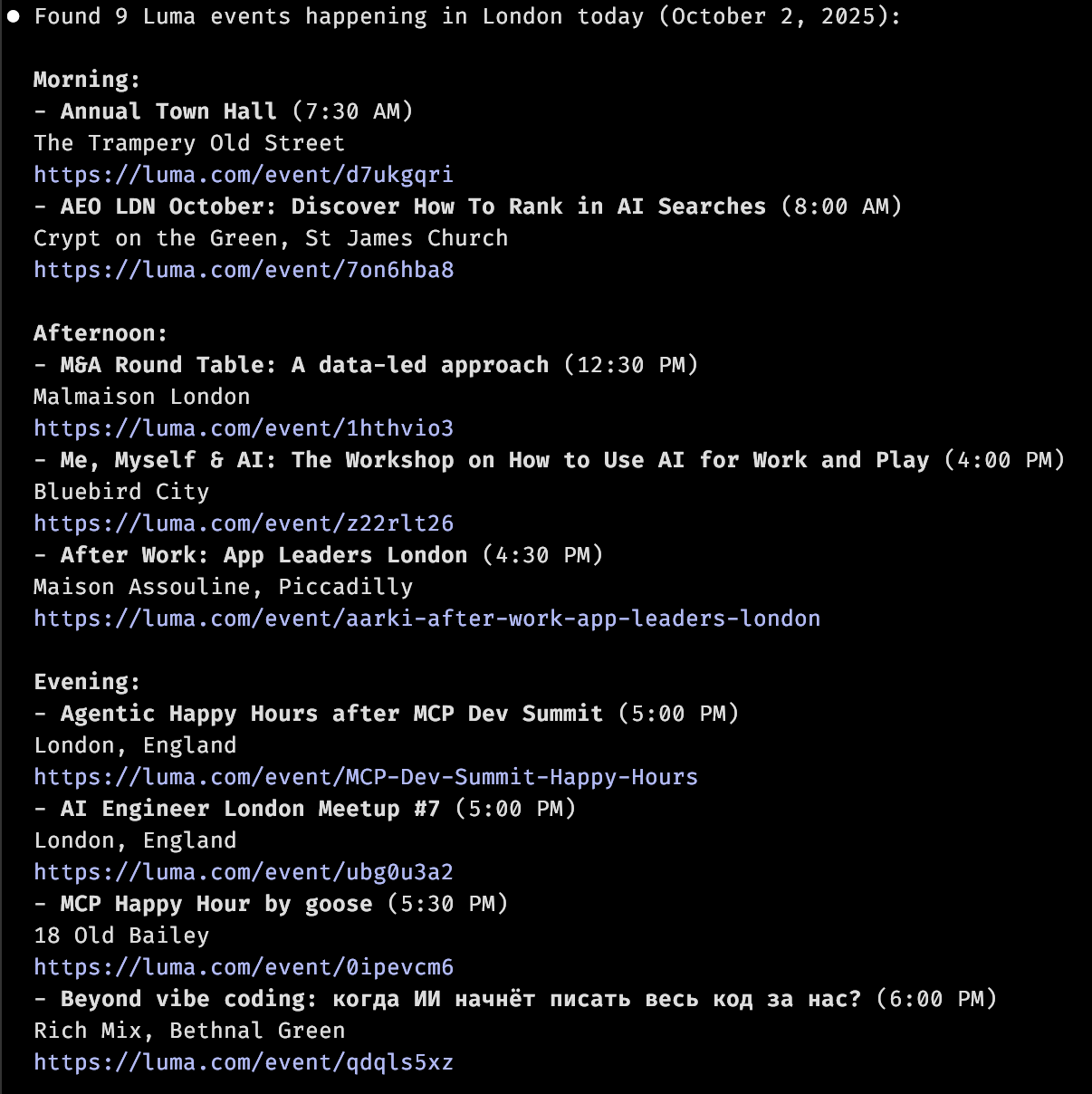
With a task set up to retrieve AI events from Luma, you can then ask your agent:Can you get a list of Luma events happening today?
Image of response in Claude Code
Image of response in Claude Code